How to Merge PDF Files in the Right Order
DecoToolkit Team
Product & Content
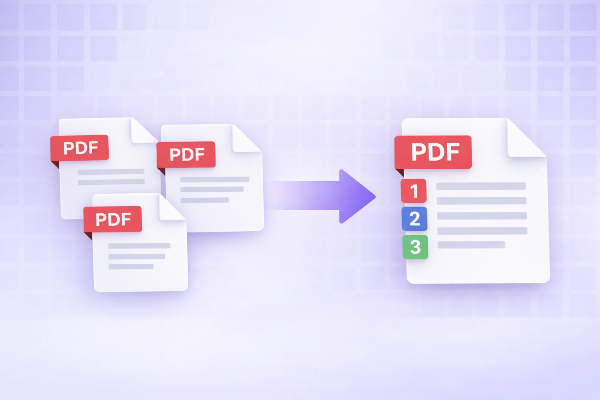
Merging PDFs sounds simple, but small mistakes can make the final document confusing. Pages can end up in the wrong order, duplicate covers can slip in, and one large file can become harder to navigate than the original separate documents. That is why a good merge workflow is not just about combining files. It is about organizing them properly.
The first step is to decide the final reading order before uploading anything. Think about how the recipient will consume the document. If you are combining contracts, invoices, reports, or scanned pages, the sequence matters. A cover page should usually come first, appendices last, and supporting attachments after the main content.
Once you know the intended structure, rename the files clearly before merging. Filenames like final-final-v2.pdf or scan1.pdf are not helpful. Use names that describe the role of each document, such as proposal-cover.pdf, pricing.pdf, appendix-a.pdf, or signed-agreement.pdf. Good names make reordering much easier inside the merge tool.
After upload, inspect the page thumbnails instead of assuming everything is correct. This is where many people skip a valuable step. A visual page organizer lets you drag pages into the right order, remove duplicates, and catch problems before exporting. If a scan is upside down, if a blank page slipped in, or if two files repeated the same section, this is the moment to fix it.
It also helps to think about page count and file size. A merged PDF is convenient, but if it becomes huge, it can be harder to send or open on mobile. If the document contains many scans or image-heavy pages, you may want to compress it after merging. That is especially useful for job applications, internal documentation, and client deliverables sent by email.
Another good practice is to keep the original source files until the merged output is approved. If someone later asks you to remove a section or change the order, you can update the merged version much faster. This is especially important for legal, financial, and administrative files.
Bookmarks and internal navigation are useful in some workflows, but even without them, a well-ordered PDF already feels more professional. The key is readability. If someone opens the document and immediately understands where it starts, where the core information is, and where extra materials live, you have done the job well.
There are also common cases where merging PDFs saves a surprising amount of time. Students combine assignment pages into one file. Freelancers merge proposals with terms and pricing. HR teams attach cover letters, resumes, and certificates. Operations teams join invoices, receipts, and proof documents. Instead of sending five attachments, one organized PDF is usually easier for everyone.
A final review is always worth it. Open the merged file and scroll from start to finish. Check the first page, transitions between sections, page rotation, and the final export size. It only takes a minute, and it prevents embarrassing mix-ups later.
A merge tool is most useful when it gives you control. Upload, reorder, remove what you do not need, and export the final version with confidence. The less friction there is between the idea of the document and the finished file, the better the result will be.