How to Split a PDF Without Losing Page Order
Equipe DecoToolkit
Produto e Conteúdo
How to Split a PDF Without Losing Page Order
Splitting a PDF sounds simple until you realize how easy it is to break the document structure by accident.
A report, contract, application file, or presentation often depends on page sequence to make sense. Once the order gets mixed up, the file can become harder to read, harder to share, and less professional.
That is why splitting a PDF is not only about extracting pages. It is also about keeping the original logic of the document intact.
Why page order matters
Many PDFs are built as complete flows.
Examples include:
- contracts with signature pages at the end
- reports divided into sections
- portfolios with a specific presentation sequence
- study materials organized by topic
- invoices or records sorted chronologically
When you split a PDF carelessly, pages can end up out of sequence, duplicated, or grouped in a confusing way.
Even when the content is still there, the meaning of the document can be weakened if the order changes.
Common situations where splitting a PDF helps
There are many cases where splitting a PDF is the right move.
For example:
- sending only one chapter of a long file
- separating a portfolio into smaller samples
- extracting a signed page from a contract
- isolating one invoice from a larger archive
- breaking a large document into smaller upload-friendly parts
In all of these cases, preserving order is important because the extracted pages still need to feel organized and complete.
The most common mistake
A very common mistake is selecting pages quickly without checking the original numbering carefully.
For example, someone may try to separate:
- pages 1 to 3
- pages 4 to 6
- pages 7 to 10
but then export them in the wrong sequence or forget that some pages belong together as one logical section.
Another common issue happens when a PDF includes cover pages, indexes, annexes, or attachments. If you remove pages without thinking about structure, the resulting file may feel incomplete.
How to split a PDF more safely
A better approach is to treat splitting as a small document organization task, not just a technical action.
A simple process looks like this:
1. Review the document first
Before extracting anything, understand how the PDF is organized.
Look for:
- section breaks
- title pages
- supporting pages
- signatures
- attachments
- visual sequence
2. Decide the exact page range
Choose the range you really need, not just a rough estimate.
For example:
- pages 1 to 5 for the introduction
- pages 6 to 12 for the case study
- page 13 only for the signature
3. Keep logical blocks together
If two or three pages belong to the same section, keep them together.
Splitting too aggressively can make the new file feel fragmented.
4. Check the final result
After splitting, open the new file and verify:
- are all pages present?
- is the order correct?
- does the file still make sense on its own?
This final review avoids sending broken or confusing documents.
When splitting is better than compressing or combining
Sometimes people use the wrong tool for the job.
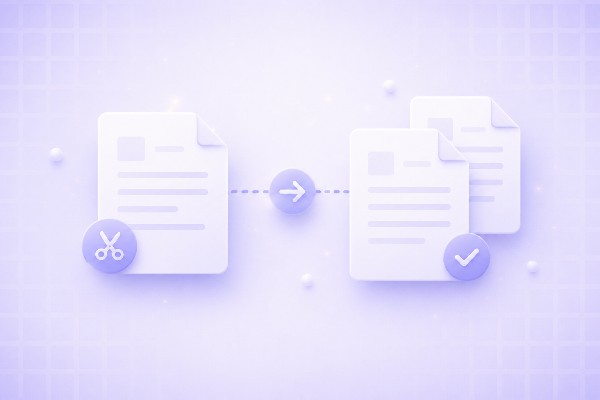
Split PDF
Best when you need:
- only part of a file
- smaller sections
- separated chapters or records
Compress PDF
Best when you need:
- the same file
- but smaller in size
Combine PDF
Best when you need:
- to join multiple files
- into one ordered document
So if the goal is to isolate pages without changing their sequence, splitting is the most appropriate option.
Good use cases for splitting PDFs
Splitting a PDF can be especially useful in situations like:
Job applications
Send only the relevant pages of a portfolio or certificate file.
Business documents
Separate invoices, contracts, or project reports into smaller pieces.
Education
Break down study materials, notes, or slides by topic.
Legal and administrative work
Extract a single signed page, annex, or form section.
Personal organization
Separate travel documents, scanned records, or archived files.
Why this matters for professionalism
Documents are part of communication.
If a PDF arrives out of order, missing context, or grouped poorly, it can create friction for whoever receives it. Even small mistakes make the file look less polished.
A well-split PDF feels:
- intentional
- organized
- easier to review
- easier to share
- more professional
That matters whether you are sending something to a recruiter, client, colleague, or institution.
Final thoughts
Splitting a PDF without losing page order is really about preserving the structure of the original document while making it more useful for a specific purpose.
The best result comes from selecting pages carefully, keeping logical sections together, and reviewing the exported file before sharing it.
When done properly, splitting helps you turn one large PDF into smaller, cleaner, and more useful documents without losing clarity along the way.