
What Is My IP Address? Public vs Private, IPv4 vs IPv6
Équipe DecoToolkit
Produit & Contenu
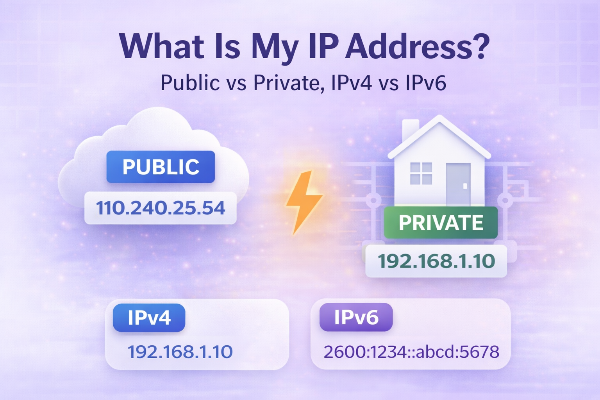
If you have ever asked “what is my IP address?”, you were probably trying to solve one of three things: check your connection, troubleshoot access to a service, or understand what information websites can see about you. It is a simple question, but the answer opens the door to a few important networking basics.
An IP address is a numerical identifier used to locate a device on a network. Think of it as a routing address for internet traffic. When you visit a website or connect to a server, your network uses IP addresses to send and receive data in the right direction.
The most important distinction is public versus private IP. Your public IP is the address visible to websites and online services. It is usually assigned by your internet provider or by the network you are currently using. Your private IP, by contrast, is used inside your local network, such as between your router, laptop, phone, printer, or smart TV.
This is why the answer to “what is my IP?” depends on what you actually want to know. If you are troubleshooting a game server, VPN, remote desktop, or allowlist, you usually need the public IP. If you are configuring devices inside your home or office network, the private IP is often more relevant.
Then there is IPv4 versus IPv6. IPv4 is the older and more familiar format, typically shown as four number groups. IPv6 is the newer system designed to support a far larger number of addresses. Many networks and devices now use both, depending on availability and configuration.
People also worry about what an IP address reveals. A public IP can often indicate approximate location, provider, and network-level details. It usually does not expose your exact street address, but it can still tell websites a lot about where a connection is coming from. This is one reason privacy tools like VPNs are so popular.
Checking your IP is useful for more than privacy. It helps confirm whether a VPN is active, whether your network changed after reconnecting, or whether a service is seeing the right connection. It can also help diagnose issues when an app, website, or admin panel grants access only to approved IPs.
IP addresses can change. Home connections often receive dynamic IPs that may rotate over time. Public Wi-Fi networks can assign different addresses to each session. Mobile networks can also switch as your device moves between towers or network conditions change.
If you manage websites, work remotely, or use developer tools, knowing your IP becomes even more practical. You might need it for server allowlists, security checks, analytics filtering, DNS diagnostics, or firewall rules. It is one of those small technical details that becomes very useful the moment something breaks.
The good news is that checking it is easy. A reliable “What Is My IP” tool should show your current public IP immediately, ideally with a clear breakdown of protocol, provider, and general location. That gives you a quick answer without forcing you through extra steps.
Understanding IP basics helps demystify a lot of everyday internet behavior. Once you know the difference between public and private addresses, and between IPv4 and IPv6, networking becomes much less intimidating.